25 Time-Saving AI Hacks: Every Professional Should Know in 2026
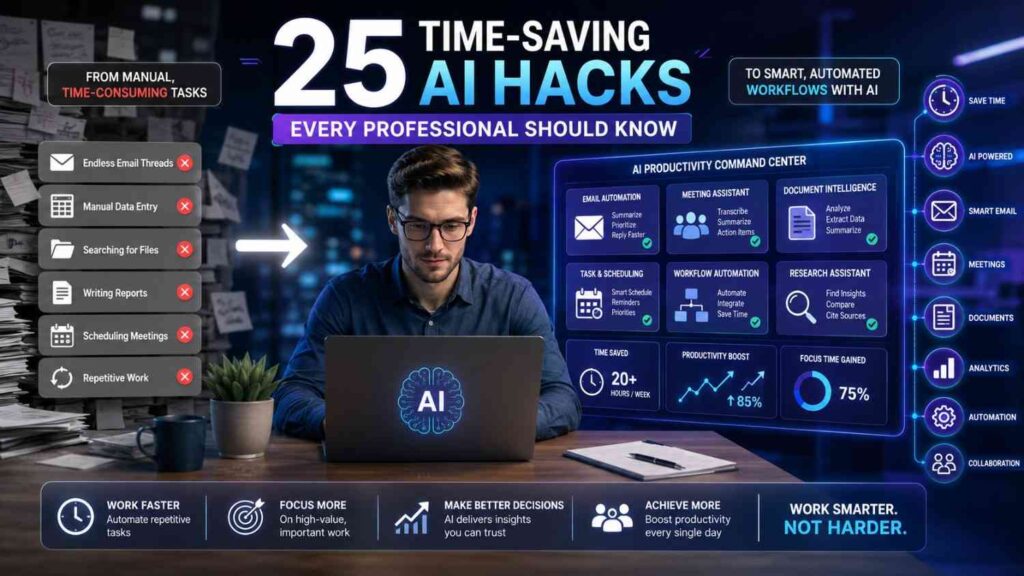
Modern professionals rarely struggle because they lack ambition, intelligence, or useful tools. Instead, they lose valuable hours switching between emails, meetings, documents, reports, research, and repetitive administrative work. The right time-saving AI hacks can reduce that friction, create clearer workflows, and return several focused hours to your working week. However, the real advantage does not come from asking an AI assistant random questions. It comes from building repeatable systems that combine strong prompts, trusted information, careful review, and sensible automation.
Artificial intelligence is now embedded across writing platforms, email tools, project workspaces, meeting applications, design software, and automation services. For example, current workplace assistants can summarize email threads, prepare meeting context, organize files, draft documents, and support recurring workflows. Nevertheless, these features remain most useful when a professional supplies clear context and reviews every important output before acting.
This guide explains 25 practical time-saving AI hacks that can work for managers, marketers, teachers, freelancers, administrators, analysts, and business owners. Each method focuses on a genuine workplace problem, rather than presenting impressive features without a useful application. Moreover, you will find realistic examples, reusable prompt frameworks, implementation advice, privacy safeguards, internal-link opportunities, and a simple plan for measuring saved time.
For a broader introduction to workplace technology, you can also read Best AI Tools for Productivity in 2026. Additionally, remote professionals may find AI Tools for Remote Work helpful when building a distributed workflow.
Why Busy Professionals Still Waste Hours Every Week
Most workplace inefficiency develops through small delays rather than one major problem. A professional may spend ten minutes rewriting an email, fifteen minutes searching for a document, and twenty minutes summarizing a meeting. Individually, these tasks seem harmless. However, when repeated every day, they consume hours that should support decision-making, creative thinking, client service, or professional development.
Another problem involves task fragmentation. For instance, information may begin in an email, continue inside a meeting, move into a spreadsheet, and finally become a project-management task. Every transfer requires attention, formatting, checking, and follow-up. Consequently, the professional becomes a human connector between applications instead of focusing on work requiring judgment.
AI can help by compressing, transforming, classifying, organizing, or routing information. However, it should not become an uncontrolled replacement for professional responsibility. The strongest approach treats AI as a capable first-pass assistant. It handles preparation and repetitive processing, while the professional remains responsible for facts, decisions, relationships, ethics, and final approval.
How to Use Workplace AI Without Creating New Problems
Give the Assistant Reliable Context
Vague prompts usually create vague results. Therefore, include the task, audience, purpose, source material, required format, limitations, and desired outcome. For example, instead of requesting “write a report,” explain who will read it, what evidence matters, and which decisions the report should support.
A useful prompt structure is: “Using the information below, complete this task for this audience, follow these requirements, and return the result in this format.” This simple framework improves consistency because the assistant understands both the work and the standard expected.
Keep Human Review at Every Important Decision
AI-generated content can sound confident even when details are incomplete, outdated, or misunderstood. Google’s official guidance, for example, warns that connected AI responses may sometimes contain hallucinated or outdated information. Therefore, professionals should verify names, dates, figures, quotations, policies, calculations, and recommendations before using them publicly.
Use a simple risk rule. Low-risk tasks, such as reformatting your own notes, may need a quick review. Meanwhile, high-risk tasks involving finance, legal matters, employment, safety, health, confidential data, or public claims require deeper human checking.
Protect Confidential and Personal Information
Before uploading a document, remove unnecessary personal details, passwords, financial records, student information, client secrets, private contracts, or internal security data. Moreover, use only tools approved by your employer when handling organizational information. A convenient shortcut is never valuable enough to justify a privacy breach.
Begin With Repetition, Not Complexity
The best first automation is usually a task you already understand clearly and repeat frequently. Therefore, begin with one email template, one meeting summary, or one weekly report. After testing the output, document the steps and expand carefully.
25 Practical AI Productivity Shortcuts for Modern Work
Faster Writing and Professional Communication
1. Transform Rough Notes Into a Clear First Draft
Many professionals delay writing because they try to create polished sentences immediately. Instead, record rough thoughts, fragmented bullets, voice notes, or unorganized observations. Then ask an AI assistant to convert the material into a structured first draft while preserving every important fact.
For example, a manager can paste ten meeting bullets and request a concise project update with progress, risks, decisions, and next steps. However, the manager should compare the draft against the original notes before sending it.
Reusable prompt: “Turn these rough notes into a professional update. Preserve all facts, remove repetition, identify missing information, and organize the result under progress, risks, decisions, and next steps.”
2. Summarize Long Email Threads Before Replying
Lengthy email conversations often contain repeated opinions, outdated requests, and hidden decisions. Consequently, reading every message from the beginning may waste time and increase the chance of missing the latest instruction.
Use an approved AI assistant to identify the current issue, decisions already made, unanswered questions, deadlines, and responsible people. Microsoft Copilot can summarize Outlook threads, while Gemini can assist with summarizing and analyzing Gmail messages for eligible users.
Reusable prompt: “Summarize this thread chronologically. Separate confirmed decisions, open questions, deadlines, action owners, and information that may no longer be current.”
3. Build a Library of Frequently Used Responses
Professionals often rewrite nearly identical messages for meeting confirmations, client follow-ups, document requests, payment reminders, student notices, and project updates. Therefore, create a response library covering your most common situations.
Ask AI to produce a friendly version, a formal version, and a brief version for each scenario. Then personalize names, dates, and relevant context before sending. Over time, your library becomes a dependable communication system rather than a collection of random templates.
Expert tip: Save only responses you have reviewed carefully, and add placeholders such as [Name], [Deadline], [Document], and [Required Action].
4. Adjust Tone Without Rewriting the Entire Message
A message can be factually correct while sounding cold, defensive, uncertain, or unnecessarily complicated. Instead of rewriting everything manually, ask AI to preserve the meaning while improving clarity and tone.
Grammarly, for example, supports writing suggestions related to grammar, clarity, tone, rewriting, and professional communication. Nevertheless, tone recommendations should remain suggestions because cultural expectations and relationships require human judgment.
Reusable prompt: “Rewrite this message in a warm, confident, and professional tone. Keep every factual detail, remove defensive language, and make the requested action unmistakably clear.”
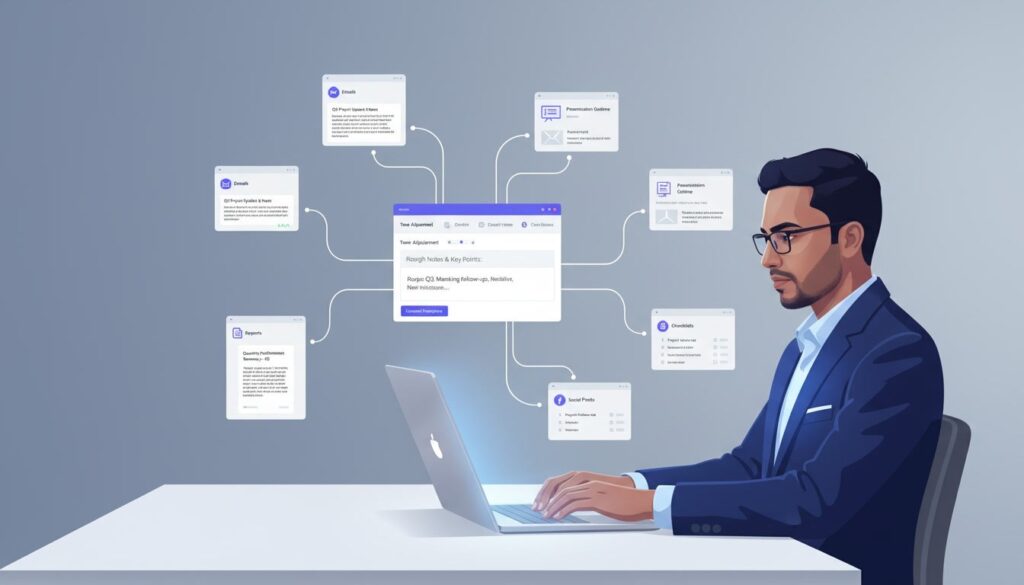
5. Repurpose One Document Into Several Useful Formats
A strong report can become an executive summary, presentation outline, email update, social post, checklist, FAQ, or training note. Consequently, professionals should stop rebuilding the same information for every communication channel.
Provide the approved source document and define each audience clearly. For example, a detailed marketing report could become a three-paragraph leadership summary and a ten-point implementation checklist. Canva’s AI writing and presentation features can also support first drafts for copy and slides.
For specialized content workflows, see Best AI Tools for Social Media Content Creation.
Smarter Meetings and Team Collaboration
6. Generate a Focused Agenda From Previous Context
Unstructured meetings become longer because participants arrive without shared priorities. Before scheduling, provide the previous notes, outstanding tasks, current risks, and desired decisions. Then ask AI to produce a timed agenda that emphasizes outcomes rather than general discussion.
Microsoft’s current Copilot tools can prepare meeting context from information a user is permitted to access, although results depend on the available emails, chats, documents, and calendar details.
Reusable prompt: “Create a 30-minute agenda using this context. Include objectives, discussion topics, decisions required, time limits, preparation needs, and a closing action review.”
7. Automate Meeting Notes and Action Items
Taking detailed notes while contributing meaningfully to a conversation is difficult. Therefore, use an approved meeting assistant to capture a transcript, summarize major themes, and identify possible action items. Otter’s official documentation describes automated meeting summaries containing topics, highlights, slides, and action items. Notion also offers meeting-note features designed to create transcripts, summaries, and follow-up tasks.
However, announce recording where required, follow organizational policy, and confirm every task owner before distribution. Transcription errors can easily create incorrect responsibilities.
8. Convert a Transcript Into an Actionable Project Plan
A meeting transcript contains useful information, but it rarely provides a clean execution plan. After the meeting, ask AI to extract objectives, deliverables, owners, dependencies, deadlines, risks, and unresolved questions.
Next, review the output with participants and transfer confirmed items into your project system. This method prevents important commitments from disappearing inside a long transcript.
Reusable prompt: “Analyze this transcript and produce a project plan. Separate confirmed commitments from suggestions, assign only explicitly named owners, and flag every missing deadline.”
9. Create a Daily Catch-Up Brief
Returning from leave or moving between several projects can create an overwhelming backlog. Instead of reading every message randomly, request a concise catch-up brief organized by urgency, project, sender, decision, and required response.
Microsoft Copilot Chat can summarize accessible projects, meetings, emails, and chats, while Gemini can reference connected Workspace services when the user has appropriate access.
Expert tip: Ask the assistant to separate verified information from assumptions. Then open the original messages before responding to sensitive issues.
10. Maintain a Searchable Decision Log
Teams often repeat discussions because nobody records why a decision was made. Therefore, create a simple decision log containing the date, decision, context, alternatives considered, owner, expected result, and review date.
After each meeting, ask AI to draft a proposed entry from the approved notes. Then let the decision owner confirm the wording. Notion AI can extract themes and action items from workspace content, while ChatGPT Projects can keep related files, chats, and instructions together for continuing work.
Teams managing multiple projects often organize documentation with Notion AI for searchable knowledge bases and smarter collaboration.
Link: https://www.notion.so/product/ai

Faster Research and Knowledge Management
11. Explain Complex Documents in Plain Language
Technical reports, policies, contracts, and research papers may contain specialized language that slows understanding. Therefore, ask AI to explain the material at several levels, such as beginner, professional, and executive.
However, never treat a simplified explanation as a substitute for the original document. Instead, use it as a reading guide that highlights important sections, definitions, assumptions, and questions requiring expert clarification.
Reusable prompt: “Explain this document in plain English without changing its meaning. Define technical terms, identify major obligations, flag ambiguous sections, and cite the relevant headings or page references.”
12. Compare Options With a Decision Matrix
Choosing between software, suppliers, strategies, candidates, or project ideas becomes difficult when every option has different strengths. Consequently, ask AI to create a comparison matrix using criteria you define before reviewing the alternatives.
For example, a small business may compare three project-management tools across cost, learning curve, integrations, reporting, security, and team suitability. Nevertheless, the assistant should not invent missing information. Require an “unknown” label whenever evidence is unavailable.
Reusable prompt: “Compare these options using the following weighted criteria. Show evidence, assumptions, missing information, risks, and a recommendation for this specific situation.”
13. Extract Structured Information From Files
Copying names, dates, amounts, tasks, or product details from several documents is slow and error-prone. Instead, use file-capable AI to extract the information into a consistent table for review.
Microsoft Copilot can summarize supported files, including Word documents, presentations, spreadsheets, and PDFs, while ChatGPT can work with uploaded files for analysis and drafting.
Expert tip: Request a source reference beside every extracted item. Then compare a sample against the original file before trusting the full table.
14. Build a Dedicated AI Workspace for Each Ongoing Project
Starting a new chat for every question forces you to repeat background information and increases inconsistency. Therefore, create a dedicated workspace containing the project goal, approved files, key definitions, audience, writing style, constraints, and current priorities.
OpenAI’s Projects feature is designed for continuing work with related chats, files, and instructions in one place. Similarly, knowledge platforms such as Notion can organize project materials and support AI-assisted retrieval.
Review project instructions monthly because outdated context can produce outdated recommendations.
15. Create a First-Pass Research Brief Before Deep Reading
Research often begins inefficiently because professionals collect dozens of sources without defining the decision they need to make. Instead, ask AI to create a research plan containing key questions, evidence requirements, stakeholder concerns, search terms, and possible source types.
Afterward, conduct the actual research using reliable primary sources and verify every important claim. The assistant can then organize your verified notes into themes, contradictions, evidence gaps, and next steps.
For SEO-related research, read How to Use AI for Keyword Research.

Workflow Automation and Administrative Efficiency
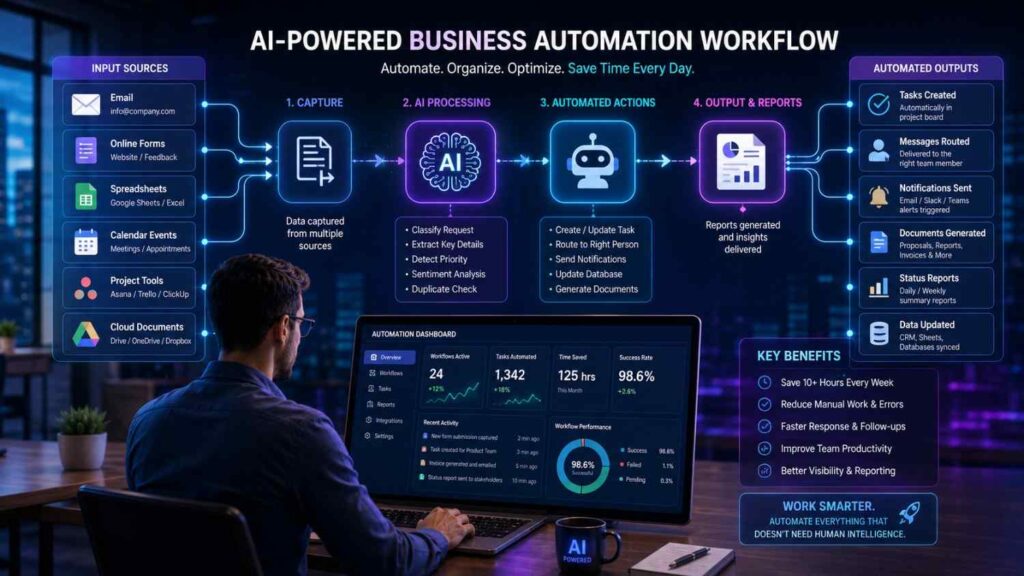
16. Turn Incoming Requests Into Organized Tasks
Important work often enters through email, forms, chat messages, or meeting notes. Consequently, people waste time copying information into task-management systems and assigning categories manually.
Use an automation platform to detect a new request, summarize it, classify its urgency, create a task, and notify the responsible person. Zapier uses trigger-and-action workflows and offers AI-assisted building for repetitive processes across connected applications.
Begin with low-risk requests, such as internal content submissions, before automating customer complaints or sensitive approvals.
Platforms such as Zapier connect hundreds of applications, allowing repetitive workflows to run automatically.
Link: https://zapier.com/
17. Schedule Recurring Briefs and Reminders
Professionals repeatedly check the same dashboards, deadlines, inboxes, or project lists. Instead, create scheduled AI tasks that deliver a concise update at the moment it becomes useful.
For example, request a Monday priority brief, a Friday project review, or a reminder before a reporting deadline. ChatGPT supports scheduled tasks for eligible experiences, while other workplace platforms provide calendar-based reminders and automated summaries.
Keep each scheduled output focused. A brief containing ten essential items is more useful than an automated report nobody reads.
Professionals can also automate recurring reminders using ChatGPT Tasks.
Link: https://help.openai.com/en/articles/10291617-tasks-in-chatgpt
18. Classify and Route Repetitive Requests
A shared inbox may receive sales questions, technical problems, document requests, complaints, and general inquiries. Therefore, use AI to label each message, extract important details, and route it to the correct queue.
However, build confidence thresholds and a manual-review path. Messages involving threats, legal issues, refunds, safeguarding, personal data, or unusual circumstances should never disappear into an automatic process.
Reusable workflow instruction: “Classify the request using these approved categories, explain the reason, extract the deadline and contact details, and send uncertain cases to manual review.”
19. Draft Weekly Status Reports From Trusted Updates
Preparing a weekly report often means collecting the same fields from several sources. Instead, standardize team updates and ask AI to combine them into a consistent report covering achievements, metrics, delays, risks, support needs, and next-week priorities.
The time-saving benefit becomes much stronger when everyone uses the same reporting template. Moreover, a clear source section allows leaders to confirm details quickly rather than searching through several messages.
Expert tip: Do not let AI estimate missing numbers. Mark absent data clearly and request confirmation from the relevant owner.
20. Convert Repeated Work Into a Standard Operating Procedure
Many organizations rely on one experienced person who remembers every step of an important process. Therefore, record that person completing the task, collect their notes, and ask AI to draft a standard operating procedure.
The first draft should include purpose, scope, prerequisites, responsibilities, numbered steps, quality checks, exceptions, and escalation rules. Then ask another knowledgeable employee to test the procedure without verbal assistance.
This time-saving AI hack reduces training time while reducing dependence on undocumented knowledge. However, the final procedure must reflect actual practice and current policy.
Better Focus, Planning, and Strategic Thinking
21. Prioritize the Day With an Impact-Based Brief
A long task list encourages professionals to complete easy work instead of important work. Each morning, provide your deadlines, commitments, available time, energy level, and major goals. Then ask AI to rank tasks by impact, urgency, dependency, and required concentration.
Reusable prompt: “Create a realistic plan for today using these tasks and constraints. Protect two focus blocks, group shallow work, explain the priority order, and identify anything I should postpone or delegate.”
The final choice remains yours because AI cannot fully understand every political, personal, or organizational consequence.
22. Break Large Projects Into Manageable Work Blocks
Large assignments feel difficult because the next action remains unclear. Therefore, ask AI to divide the project into milestones, deliverables, dependencies, review points, and focused work sessions.
For example, “prepare an annual report” can become data collection, outline approval, analysis, drafting, design, fact-checking, leadership review, revision, and publication. Consequently, progress becomes visible and scheduling becomes easier.
Expert tip: Request estimates as ranges rather than exact promises. Then replace AI estimates with your own historical data whenever possible.
23. Run a Pre-Mortem Before Launching Important Work
A pre-mortem imagines that a project has failed and asks what probably caused the failure. This exercise helps teams identify risks before those risks become expensive.
Provide the project plan, audience, deadline, dependencies, assumptions, and success criteria. Then ask AI to examine operational, financial, technical, communication, reputational, and adoption risks. Afterward, assign owners and early-warning indicators to the most serious issues.
Reusable prompt: “Assume this project failed six months from now. Identify the ten most plausible causes, warning signs, preventive actions, contingency plans, and responsible owners.”
24. Rehearse Difficult Conversations With Stakeholder Role-Play
Professionals often lose time because they avoid a difficult discussion or enter it without preparation. AI can simulate a client, manager, employee, supplier, or skeptical executive and challenge your proposal from that perspective.
Explain the relationship, goals, known concerns, boundaries, and facts that must remain accurate. Then practice concise answers to likely objections. However, avoid sharing confidential personal information during the exercise.
Expert tip: Ask for feedback on clarity, empathy, evidence, and unnecessary defensiveness. Then rewrite only the weakest answers in your own voice.
25. Conduct an AI-Assisted Weekly Review
The most valuable time-saving AI hacks improve through regular review rather than one-time enthusiasm. Every week, collect completed tasks, missed commitments, repeated interruptions, meeting outcomes, and unfinished priorities. Then ask AI to identify patterns and recommend one practical adjustment.
Reusable prompt: “Review this week’s work log. Identify recurring delays, unnecessary meetings, repeated manual steps, unclear responsibilities, and the single highest-value improvement for next week.”
As a result, AI becomes part of a continuous improvement process instead of another tool that creates notifications and unused documents.
A Seven-Day Plan for Testing Time-Saving AI Hacks
Day One: Record Where Your Time Actually Goes
Track your work in 30-minute blocks for one normal day. Note repeated writing, searching, copying, summarizing, scheduling, and reporting tasks. Additionally, mark tasks that require judgment because those activities should remain human-led.
Day Two: Select One Low-Risk Repetitive Task
Choose a task that happens at least twice weekly, has clear inputs, and produces a predictable output. Good examples include meeting summaries, follow-up emails, content briefs, or weekly updates.
Day Three: Write a Detailed Prompt Template
Define the audience, objective, source material, required sections, tone, length, and review checklist. Then test the prompt using an old task where you already know the correct outcome.
Day Four: Compare Speed and Quality
Complete the task once manually and once with AI assistance. Measure preparation time, editing time, total completion time, mistakes, and usefulness. Otherwise, you may believe a workflow saves time when it merely moves work into editing.
Day Five: Add a Verification Checklist
Create a checklist covering facts, dates, figures, names, confidentiality, tone, links, formatting, and required approvals. Consequently, the review becomes consistent even when the task is completed quickly.
Day Six: Document the Workflow
Write down the trigger, inputs, prompt, output location, reviewer, exception process, and success measure. If another person cannot follow the workflow, it is not yet a reliable system.
Day Seven: Decide Whether to Keep, Improve, or Remove It
Keep the workflow only when it saves meaningful time without reducing quality or creating unacceptable risk. Improve weak steps gradually, and remove automation that produces more correction than value.
Common Mistakes That Weaken Time-Saving AI Hacks
Automating a Broken Process
Automation makes a process faster, but it does not automatically make the process sensible. Therefore, remove unnecessary approvals, duplicated data, and unclear ownership before adding AI.
Using One Prompt for Every Situation
A generic prompt cannot handle every audience, document, or decision equally well. Instead, build several tested templates for recurring situations and update them when requirements change.
Trusting Polished Language More Than Evidence
Professional wording can hide incorrect assumptions. Consequently, require sources, calculations, page references, or links to original material whenever accuracy affects a decision.
Ignoring Access, Privacy, and Consent
Meeting recordings, customer information, employee data, and internal files may require permission or approved systems. Therefore, confirm organizational rules before introducing a convenient tool.
Measuring Output Instead of Saved Time
Producing more drafts does not necessarily improve productivity. Measure finished work, reduced delays, fewer errors, faster decisions, and additional time available for high-value responsibilities.
How to Measure Whether AI Hacks Actually Work
Start with a two-week baseline. Record how long the original task takes, how often it occurs, and how many corrections it requires. Next, test the AI-assisted process for another two weeks using the same measurement method.
Use this simple calculation: monthly time saved equals minutes saved per task multiplied by monthly task frequency. For example, saving twelve minutes on a task completed twenty times returns four hours monthly. However, subtract setup, review, troubleshooting, and correction time to avoid an unrealistic result.
Also measure quality. Track missed deadlines, factual errors, response time, stakeholder satisfaction, and rework. The strongest time-saving AI system saves time while maintaining or improving the standard of work.
Final Thoughts on Working Faster Without Losing Human Judgment
The best time-saving AI hacks do not encourage professionals to work carelessly or remove thoughtful human involvement. Instead, they reduce repetitive preparation, organize scattered information, and create stronger first drafts. Consequently, people can invest more attention in decisions, relationships, creativity, leadership, and problem-solving.
Begin with one repeated task, create a clear prompt, protect sensitive information, and measure the complete workflow. Then expand only after the process proves reliable. AI delivers the greatest value when it strengthens professional judgment rather than pretending to replace it.
For independent professionals, Best AI Tools for Freelancers in 2026 provides additional ideas for writing, client management, research, and daily operations.
Frequently Asked Questions (FAQs)
1. What are time-saving AI hacks?
Time-saving AI hacks are practical methods that use artificial intelligence to reduce repetitive work, organize information, create first drafts, and improve workflow efficiency. They are most valuable when the task follows a repeatable pattern and the final output receives appropriate human review.
2. Which AI task should a beginner automate first?
Begin with a low-risk task you perform frequently, such as summarizing your own notes, drafting a routine email, or formatting a weekly update. Avoid sensitive decisions until you understand the tool’s limitations, privacy settings, and review requirements.
3. Can AI really save several hours every week?
Yes, although the result depends on task frequency, workflow design, editing time, and tool quality. Small savings across emails, meetings, research, and reporting can accumulate quickly. Nevertheless, professionals should measure total completion time instead of relying on promotional claims.
4. What is the best tool for time-saving AI hacks?
There is no universal best tool because productivity depends on your existing software, security requirements, budget, and most common tasks. Choose the assistant that works safely with your approved documents, communication platforms, calendar, project system, and automation needs.
5. How can professionals avoid inaccurate AI content?
Provide reliable source material, request references, separate facts from assumptions, and verify important details against original documents. Additionally, use human approval for public communication, financial decisions, policies, contracts, employment matters, and any high-risk recommendation.
6. Is it safe to upload workplace documents into AI tools?
Safety depends on the document, tool, organizational policy, account settings, and applicable privacy requirements. Remove unnecessary sensitive information and use only employer-approved services. When uncertain, consult the responsible manager, information-security team, or data-protection contact before uploading anything.
7. How often should AI prompts be updated?
Review important prompts whenever the audience, process, policy, software, or reporting requirement changes. Additionally, review high-use templates monthly to remove outdated instructions and incorporate common corrections identified during human review.
Will AI replace professional judgment?
AI can support preparation, summarization, organization, and pattern recognition, but it cannot fully understand every human consequence or organizational context. Professionals remain responsible for ethical choices, factual accuracy, sensitive communication, accountability, and final decisions.