AI Tools for Remote Work: The Complete Guide to Working Smarter from Anywhere
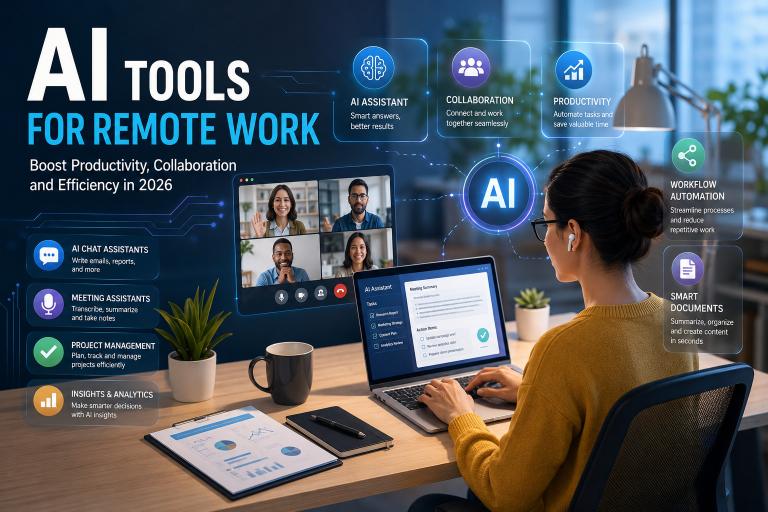
Remote work has transformed from a temporary solution into a permanent business strategy for organisations worldwide. Consequently, companies increasingly rely on AI tools for Remote Work to keep distributed teams connected, productive, and engaged regardless of geographical boundaries.
At the same time, artificial intelligence has become one of the most valuable technologies supporting remote professionals. Rather than replacing employees, modern AI-powered tools simplify repetitive work, improve collaboration, organise information, and help teams make faster decisions every day.
Whether you work as a freelancer, digital marketer, software developer, customer support representative, project manager, educator, consultant, or business owner, the right AI tools for remote work can dramatically improve your daily workflow. Instead of spending valuable hours organising meetings, writing emails, searching documents, or creating reports manually, you can delegate many routine activities to intelligent assistants.
Moreover, today’s intelligent AI solutions integrate seamlessly with familiar workplace applications, making adoption easier than ever before. As a result, businesses of every size can improve productivity without requiring expensive infrastructure or dedicated technical teams.
However, In this comprehensive guide, you’ll discover the best AI tools for remote work, understand where each one excels, learn practical implementation strategies, and explore real examples that demonstrate measurable productivity improvements.
Why Artificial Intelligence Has Become Essential for Remote Teams
Moreover, Remote work offers flexibility, greater work-life balance, and access to global talent. Nevertheless, distributed teams also face communication delays, information overload, meeting fatigue, inconsistent documentation, and project coordination challenges.
Fortunately, artificial intelligence addresses many of these common obstacles.
Instead of replacing human collaboration, AI enhances communication by handling repetitive administrative tasks automatically. Therefore, employees spend more time solving problems, serving customers, and developing innovative ideas.
For example, imagine a marketing agency with employees working across five different countries. Without AI, the team spends hours each week scheduling meetings, documenting discussions, preparing project updates, and responding to repetitive client emails.
After implementing AI-powered collaboration tools, meeting summaries become automatic, project updates generate instantly, client responses receive intelligent drafting assistance, and scheduling conflicts decrease significantly. Consequently, the entire team gains additional productive hours every week.
This practical improvement illustrates why businesses increasingly invest in AI-powered workplace technologies.
The Biggest Challenges of Remote Work
Although remote work offers tremendous opportunities, several recurring challenges affect productivity.
These challenges commonly include such as:
- Communication gaps
- Time zone differences
- Information overload
- Meeting fatigue
- Poor documentation
- Repetitive administrative work
- Project visibility issues
- Delayed decision making
- Employee burnout
- Knowledge sharing difficulties
Fortunately, AI tools help reduce nearly all these issues through automation, intelligent recommendations, and contextual assistance.
How AI Improves Everyday Remote Collaboration
Obviously, Artificial intelligence contributes value across almost every daily activity within remote organisations.
For instance, AI can do such as:
- Summarise long meetings within seconds.
- Draft professional emails quickly.
- Organise project documentation automatically.
- Translate conversations instantly.
- Schedule meetings intelligently.
- Generate presentations.
- Create reports.
- Analyse customer feedback.
- Manage repetitive workflows.
- Recommend priorities.
As a result, employees focus more on meaningful work instead of repetitive administration.
Key Benefits of Using AI Productivity Solutions While Working Remotely
However, Every organisation measures productivity differently. However, several advantages consistently appear after introducing AI into remote workflows.
Increased Productivity Without Increasing Workload
Perhaps the greatest advantage involves saving time.
Instead of manually completing repetitive tasks, professionals can automate numerous activities including such as:
- Email writing
- Meeting documentation
- Calendar management
- File organisation
- Data summarisation
- Content drafting
- Research assistance
- Brainstorming
Consequently, employees often complete more meaningful work during normal business hours.
Better Communication Across Distributed Teams
Communication frequently becomes more complicated when employees rarely meet face to face.
Fortunately, AI improves communication by generating clearer documentation, summarising conversations, and ensuring important information reaches every stakeholder.
For example, after a one-hour project meeting, AI automatically produces such as:
- Action items
- Assigned responsibilities
- Deadlines
- Key decisions
- Follow-up reminders
Therefore, nobody needs to spend another hour writing meeting notes.
Faster Decision Making
Moreover, Business leaders frequently wait for reports before making important decisions.
AI accelerates this process by analysing available information immediately and presenting concise summaries that highlight trends, risks, and opportunities.
As a result, managers respond more quickly to changing business conditions.
Reduced Employee Burnout
However, Many remote employees experience digital exhaustion because they constantly switch between emails, meetings, messaging applications, and project management software.
Therefore, AI reduces this cognitive load by organising information intelligently and automating repetitive administrative work.
Consequently, professionals can dedicate more mental energy to creative thinking and strategic planning.
Categories of AI Software Every Remote Professional Should Know
At First, Choosing the right AI solution becomes easier after understanding the major categories available today.
Rather than searching randomly, professionals should identify which daily challenges consume the most valuable time.
AI Writing Assistants
Writing assistants help professionals produce such as:
- Emails
- Reports
- Documentation
- Marketing content
- Social media posts
- Business proposals
- Knowledge base articles
So, These tools improve grammar, tone, structure, readability, and overall writing quality while significantly reducing drafting time.
AI Meeting Assistants
Meeting assistants automatically do this such as:
- Record discussions
- Generate transcripts
- Create summaries
- Identify action items
- Assign responsibilities
- Share follow-up notes
Therefore, participants remain fully engaged instead of taking extensive notes.
AI Project Management Platforms
Project management tools increasingly include intelligent features such as:
- Task prioritisation
- Deadline prediction
- Risk detection
- Workflow automation
- Resource allocation
- Team workload balancing
Consequently, managers maintain better visibility across complex projects.
AI Communication Tools
Modern communication platforms now provide intelligent capabilities including such as:
- Smart replies
- Message summarisation
- Language translation
- Priority notifications
- Conversation search
- Automated reminders
Therefore, These features improve collaboration while reducing unnecessary interruptions.
Selecting the Right Category Before Choosing Individual Tools
Many organisations purchase numerous AI applications before identifying actual business needs. However, this approach often increases software costs without improving productivity.
Instead, begin by identifying repetitive tasks that consume the greatest amount of time each week. Afterwards, choose AI solutions specifically designed to automate those activities. This practical strategy usually delivers faster adoption, higher employee satisfaction, and stronger returns on investment.
25 Best AI Tools That Transform Remote Work in 2026
However, Selecting the right AI tools for remote work depends on your role, workflow, and business objectives. Instead of installing every available application, focus on solutions that solve specific productivity challenges and integrate smoothly with your existing software stack.
Below are some of the most reliable AI tools that professionals and remote teams use daily.
1. ChatGPT: The Ultimate AI Assistant for Daily Work
One of the most versatile AI tools available today is ChatGPT. It supports professionals across virtually every industry by helping with writing, brainstorming, coding, research, planning, and problem solving.
Best For
- Writing emails
- Creating reports
- Brainstorming ideas
- Research assistance
- Coding support
- Content creation
- Customer communication
Practical Example
Imagine a project manager preparing a weekly progress update for company leadership. Instead of writing the report from scratch, they provide project notes to ChatGPT and receive a well-structured summary within minutes. Afterwards, they review the content, add project-specific insights, and send a polished report.
Expert Tip
Use clear prompts with specific goals, audience details, and desired formatting. Better prompts consistently produce better outputs.

2. Claude: Excellent for Long Documents and Analysis
Claude performs exceptionally well when analysing lengthy documents, policy manuals, research reports, and complex business information.
It maintains context across extensive conversations, making it particularly useful for consultants, researchers, legal professionals, and business analysts.
Ideal Uses
- Reviewing contracts
- Summarising lengthy documents
- Policy analysis
- Strategic planning
- Research assistance
3. Google Gemini: Smart Collaboration Across Google Workspace
Gemini integrates naturally with Gmail, Google Docs, Sheets, Drive, and Meet.
Consequently, organisations already using Google Workspace can automate many repetitive office tasks without changing their workflow significantly.
Common applications include:
- Drafting professional emails
- Creating spreadsheet formulas
- Summarising documents
- Generating meeting notes
- Brainstorming project ideas
4. Microsoft Copilot: The AI Assistant for Microsoft 365
Businesses relying on Microsoft 365 benefit significantly from Copilot because it works directly inside familiar applications.
Professionals can create presentations, analyse Excel data, summarise Teams meetings, and draft Word documents much faster than traditional manual workflows.
5. Notion AI: Intelligent Knowledge Management
Remote teams often struggle to organise information.
Notion AI solves this challenge by helping users create documentation, summarise meeting notes, organise company knowledge, and generate project documentation automatically.
Best For
- Internal documentation
- Team knowledge bases
- SOP creation
- Meeting notes
- Project planning
Practical Example
A marketing agency stores every campaign brief, meeting summary, and client guideline inside Notion. Instead of manually searching through hundreds of pages, employees ask AI questions and instantly locate the required information.
6. ClickUp AI: Smarter Project Management
ClickUp AI enhances project management by helping teams generate task descriptions, write updates, estimate timelines, and automate repetitive workflows.
However, Managers also gain better visibility into workload distribution.
Useful Features
- AI task generation
- Progress summaries
- Sprint planning
- Documentation
- Workflow automation
7. Asana Intelligence: Better Team Coordination
Asana’s AI features identify project risks, recommend priorities, and automate status reporting.
Consequently, managers spend less time creating administrative updates while maintaining better project visibility.
8. Trello AI: Simple Workflow Automation
Smaller teams appreciate Trello because its interface remains straightforward while AI helps organise projects more efficiently.
Examples include such as:
- Automatic card descriptions
- Suggested checklists
- Workflow recommendations
- Task prioritisation

AI Communication Tools That Keep Remote Teams Connected
Moreover, Effective communication remains the foundation of successful remote work. Fortunately, several AI-powered platforms reduce misunderstandings while saving valuable time.
9. Grammarly
Grammarly does much more than correct grammar.
Its AI helps improve clarity, tone, professionalism, readability, and consistency across emails, reports, proposals, and business documentation.
Expert Advice
Always review AI suggestions before sending important client communications to ensure they match your brand voice.
10. Otter.ai
Otter.ai automatically records meetings and produces searchable transcripts.
Instead of taking notes manually, employees remain engaged throughout conversations.
Ideal for:
- Interviews
- Client meetings
- Online classes
- Team discussions
- Workshops
11. Fireflies.ai
Fireflies automatically joins virtual meetings, records discussions, extracts action items, and distributes summaries.
Consequently, managers no longer need to organise meeting notes manually.
12. Zoom AI Companion
Zoom AI Companion creates meeting summaries, highlights important decisions, and identifies follow-up actions.
Therefore, This feature proves particularly valuable for organisations conducting multiple virtual meetings every day.
13. Slack AI
Slack AI simplifies workplace communication by helping employees locate information faster.
Instead of reading hundreds of messages, users receive concise summaries of important conversations.
Key advantages include such as:
- Channel summaries
- Intelligent search
- Daily recaps
- Thread summaries
- Quick answers
14. Microsoft Teams AI Features
Microsoft Teams now includes intelligent meeting recaps, transcript generation, task extraction, and collaboration insights.
Consequently, distributed teams remain aligned even when members cannot attend every meeting.
AI Tools That Improve Research and Decision Making
Remote professionals constantly search for reliable information. AI research assistants dramatically reduce this effort.
15. Perplexity AI
Perplexity combines conversational AI with web-based information retrieval.
Rather than searching dozens of websites manually, professionals receive organised answers with supporting sources.
Excellent for:
- Market research
- Industry trends
- Competitive analysis
- Technical learning
- Academic research
16. NotebookLM
NotebookLM helps professionals understand information already stored inside their own documents.
Businesses use it to analyse:
- Internal reports
- Company policies
- Training materials
- Product documentation
- Research papers
17. Elicit
Researchers and consultants frequently use Elicit to discover relevant academic studies and summarise research findings.
This saves considerable time during literature reviews.
AI Design and Presentation Tools for Remote Professionals
Visual communication has become increasingly important in distributed workplaces.
Fortunately, AI design tools reduce production time significantly.
18. Canva AI
Canva AI assists users in creating presentations, marketing graphics, social media visuals, and business documents quickly.
Even professionals without design experience can produce attractive materials.
19. Gamma
Gamma automatically transforms ideas into polished presentations.
Instead of designing every slide manually, professionals focus on refining their message.
20. Beautiful.ai
Beautiful.ai automatically adjusts slide layouts while maintaining professional design standards.
Consequently, presentations remain visually appealing without requiring advanced design skills.

AI Automation Platforms That Eliminate Repetitive Work
However, Automation represents one of the highest-value applications of artificial intelligence.
21. Zapier AI
Zapier connects thousands of applications and automates repetitive workflows without coding.
Example automations include:
- Saving email attachments automatically
- Updating CRM records
- Creating project tasks
- Sending notifications
- Generating reports
22. Make
Make allows businesses to build advanced automation scenarios involving multiple software platforms.
Many growing companies rely on it for operational efficiency.
23. Motion
Motion combines AI scheduling with intelligent task management.
Instead of manually organising calendars, Motion automatically builds an optimised work schedule based on priorities and deadlines.
24. Reclaim AI
Reclaim AI protects focus time by intelligently scheduling meetings around important work.
Consequently, professionals experience fewer interruptions throughout the day.
25. Clockwise
Clockwise reorganises calendars automatically to maximise uninterrupted productivity.
Teams particularly appreciate its ability to coordinate meeting schedules across multiple time zones.
How to Choose the Right AI Tools for Your Virtual Team
With so many options available, selecting the right combination requires a strategic approach.
Before purchasing any software, evaluate the following factors:
Consider Your Biggest Productivity Challenges
Ask questions such as:
- Which repetitive tasks consume the most time?
- Where do communication problems occur?
- Which workflows cause frequent delays?
- What processes could benefit from automation?
So, Answering these questions first prevents unnecessary software purchases.
Prioritise Integration
The best AI tools integrate naturally with applications your team already uses.
Look for compatibility with:
- Google Workspace
- Microsoft 365
- Slack
- Zoom
- Notion
- CRM platforms
- Project management software
Therefore, Better integration usually leads to faster employee adoption and higher productivity.
Real-World Examples of AI Improving Work From Home
The true value of AI tools for remote work becomes clear when we examine how businesses use them in everyday operations. Instead of focusing only on features, these examples demonstrate measurable improvements in productivity, collaboration, and decision making.
Example 1: A Digital Marketing Agency
A 15-person digital marketing agency manages SEO campaigns, content creation, paid advertising, and social media marketing for multiple international clients.
Before adopting AI, the team struggled with repetitive reporting, meeting documentation, and content brainstorming.
After introducing How to use ChatGPT, Notion AI, Fireflies.ai, and Canva AI, the agency transformed several workflows.
The team now uses AI to:
- Draft campaign reports
- Summarise client meetings
- Generate content ideas
- Create presentation slides
- Produce first drafts of social media captions
As a result, account managers spend more time developing client strategies rather than completing repetitive administrative work.
Example 2: A Software Development Team
A remote software company with developers across four countries experienced communication delays because team members worked in different time zones.
The company implemented Slack AI, GitHub Copilot, Zoom AI Companion, and ClickUp AI.
Consequently, developers receive meeting summaries automatically, locate technical discussions faster, generate code suggestions efficiently, and monitor project progress more effectively.
This approach reduced unnecessary meetings while improving documentation quality.
Example 3: An Online Education Business
An online education platform serving thousands of learners adopted AI tools for Students and teachers to support instructors and administrative staff.
Today, instructors use AI to:
- Prepare lesson plans
- Generate quizzes
- Draft student feedback
- Create presentations
- Summarise webinars
Meanwhile, administrative staff automate email responses, meeting scheduling, and student support documentation.
Therefore, instructors dedicate more attention to teaching while students receive faster assistance.
Expert Tips for Successfully Implementing AI in Remote Teams
Adopting AI successfully requires more than purchasing software. Instead, organisations should introduce AI gradually while helping employees understand its practical value.
Start With One Business Problem
Avoid deploying multiple AI platforms simultaneously.
Instead, identify one repetitive process that consumes considerable time.
Examples include:
- Weekly reporting
- Meeting notes
- Email writing
- Customer support
- Documentation
- Project updates
Once employees become comfortable with one AI solution, additional automation becomes much easier.
Create AI Usage Guidelines
Every organisation should establish clear guidelines regarding:
- Data privacy
- Sensitive information
- Human review requirements
- Content approval
- Responsible AI use
- Security best practices
Clear policies reduce risks while encouraging responsible adoption.
Encourage Employees to Learn Prompt Writing
Even the best AI tools depend on clear instructions.
Employees who write detailed prompts usually receive more accurate, useful, and consistent responses.
For example, instead of asking:
“Write an email.”
A better prompt would be:
“Write a professional follow-up email to a client after today’s project meeting. Keep the tone friendly, summarise three agreed actions, and invite questions.”
Small improvements like this often produce dramatically better results.
Always Review AI Output
Although AI has become remarkably capable, it still requires human judgement.
Professionals should always verify:
- Facts
- Statistics
- Legal information
- Financial details
- Brand messaging
- Customer communications
Human expertise remains essential for maintaining accuracy and trust.

Common Mistakes to Avoid When Using AI for Virtual Work
Many organisations invest in AI but fail to achieve meaningful productivity improvements because they make avoidable implementation mistakes.
Trying to Automate Everything
Not every task should be automated.
Creative thinking, relationship building, strategic planning, negotiation, and leadership still require strong human involvement.
Instead, use AI to support these activities rather than replace them.
Ignoring Data Security
Uploading confidential client information into public AI tools without understanding privacy policies can create unnecessary risks.
Therefore, organisations should choose enterprise-grade AI platforms whenever sensitive information is involved.
Using Too Many AI Applications
Installing numerous overlapping AI tools often creates confusion rather than efficiency.
Instead, select a small collection of well-integrated applications that address your team’s highest-priority challenges.
Expecting Perfect Results Immediately
AI improves with practice.
Employees usually become significantly more productive after gaining experience with prompts, workflows, and integrations.
Consequently, patience and continuous learning produce better long-term outcomes.
Future Trends in AI-Powered Virtual Work
Artificial intelligence continues evolving rapidly, and remote work will become even more intelligent over the next few years.
Several emerging trends deserve close attention.
Personal AI Work Assistants
Future AI assistants will understand each employee’s working style, priorities, calendar, and preferred communication habits.
Rather than responding only to commands, these assistants will proactively recommend actions throughout the day.
Fully Automated Meeting Workflows
Future meeting platforms will automatically:
- Schedule discussions
- Prepare agendas
- Record conversations
- Assign tasks
- Generate follow-up emails
- Track completion
Consequently, meetings will require far less administrative effort.
Smarter Workflow Automation
AI will increasingly connect departments automatically, allowing marketing, finance, customer service, and operations to share information seamlessly.
This connected workplace will reduce manual data entry and improve organisational efficiency.
Greater Personalization
AI systems will provide recommendations tailored to each employee based on work habits, responsibilities, deadlines, and collaboration patterns.
As a result, productivity will become increasingly personalised.
Final Thoughts
Finally, It concludes that, Remote work has permanently changed how organisations operate, collaborate, and deliver value. At the same time, AI tools for Remote Work have become a practical partner that helps professionals work more efficiently without sacrificing quality or creativity.
The most successful teams do not use AI to replace people. Instead, they combine human expertise with intelligent automation to eliminate repetitive work, improve communication, and make better decisions. Whether you are a freelancer, entrepreneur, educator, marketer, software developer, or business leader, adopting the right AI tools for remote work can save valuable time, reduce administrative burdens, and help you focus on meaningful, high-impact work.
Rather than trying every new AI application, start with a few trusted remote work AI tools that address your biggest productivity challenges. Experiment with their features, gather feedback from your team, and refine your workflows over time. This steady approach builds confidence, encourages adoption, and delivers sustainable results.
As AI technology continues to evolve, digital tools for remote teams will become even more connected, personalised, and efficient. Professionals who embrace these tools thoughtfully today will be better prepared for the future of work tomorrow.
Frequently Asked Questions (FAQs)
1. Which AI tool is best for Offsite work?
There is no single best option for every professional. ChatGPT is an excellent all-round assistant, while Notion AI supports documentation, Grammarly improves writing, Fireflies.ai automates meeting notes, and ClickUp AI enhances project management.
2. Can AI replace remote employees?
No. AI works best as a productivity assistant rather than a replacement for skilled professionals. Human creativity, leadership, emotional intelligence, and strategic decision making remain irreplaceable.
3. Are AI tools suitable for small businesses?
Yes. Many AI platforms offer affordable plans or free versions, making them accessible for freelancers, startups, and small businesses seeking productivity improvements.
4. Which AI tools save the most time?
Meeting assistants, writing assistants, workflow automation platforms, and AI project management software usually deliver the greatest time savings because they automate repetitive daily tasks.
5. Is AI secure for business use?
Enterprise-grade AI solutions generally provide stronger security and compliance features than consumer versions. Nevertheless, organisations should always review privacy policies before uploading confidential information.
6. How can beginners start using AI?
Begin with one or two tools that solve a specific problem, such as email writing or meeting summaries. After becoming comfortable, gradually explore additional AI capabilities that fit your workflow.