Best AI Tools for Freelancers: 15 Powerful Apps to Work Faster and Earn More
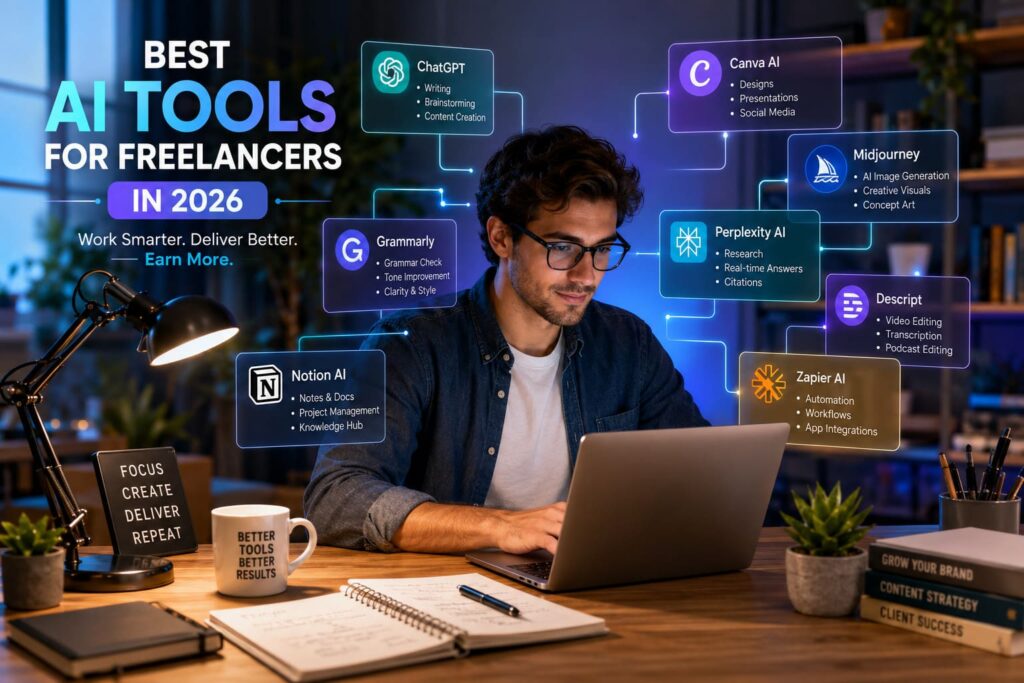
The best AI tools for freelancers in 2026 are changing how independent professionals work, enabling them to finish projects more quickly, enhance the quality of their work, and earn more without losing their creative edge. Whether you’re a writer, graphic designer, digital marketer, developer, video editor, or virtual assistant, the right AI tools can automate routine tasks, make workflows more efficient, and improve productivity. As client demands keep growing, using AI in a smart way is no longer just an option it’s a key advantage for freelancers aiming to provide outstanding results while expanding their business smoothly.
Moreover, in recent years, freelancing has changed a lot of Clients now want faster project delivery, clearer communication, and consistently high-quality work. Fortunately, artificial intelligence has made it easier than ever to meet these expectations. From creating content and designing visuals to managing projects and automating regular tasks, AI helps freelancers focus on the more valuable parts of their work instead of doing repetitive activities.
However, after testing many AI platforms across real digital marketing and SEO projects, I found one important thing.
AI doesn’t replace skilled freelancers. Instead, it serves as a productivity partner that handles routine tasks, supports better decision-making and gives professionals more time to solve the creative challenges clients truly appreciate.
Moreover, in this detailed guide, you’ll find the best AI tools for freelancers in 2026, compare their main features, look at real-world examples of how they’re used, and learn how to create an efficient AI-powered workflow that helps you attract more clients, finish projects faster, and build a successful freelance business.
Why AI Has Become Essential for Freelancers
The freelance marketplace has become increasingly competitive. As a result, clients now compare freelancers based on quality, turnaround time, communication, and pricing. Therefore, professionals who embrace AI often gain a significant advantage.
Instead of replacing expertise, AI enhances productivity. Consequently, freelancers can manage more projects without sacrificing quality or burning out.
Some of the biggest advantages include such as:
- Completing projects in less time
- Producing more consistent work
- Improving client communication
- Reducing repetitive manual tasks
- Generating creative ideas quickly
- Increasing monthly earning potential
For example, a freelance content writer who previously completed three articles daily can now research, outline, edit, and optimise five or six articles using AI assistance. Likewise, a graphic designer can generate multiple design concepts within minutes before refining the final version manually.
The result is not only better efficiency but also greater client satisfaction.
How to Choose the Right AI Software for Freelance Work
Not every AI platform is suitable for every freelancer. Therefore, choosing tools based on your specific workflow is far more effective than subscribing to every popular application.
Therefore, selecting any AI tool, consider these important factors.
Identify Your Daily Bottlenecks
At First, identify which tasks consume the most time every week.
Ask yourself questions such as:
- Do I spend hours writing content?
- Is client communication slowing me down?
- Does editing consume too much time?
- Am I struggling with project management?
- Do repetitive tasks reduce productivity?
So, Once you identify these challenges, choosing suitable AI software becomes much easier.
Look Beyond Fancy Features
Many AI tools advertise hundreds of features. However, freelancers usually benefit more from reliability, accuracy, and ease of use.
Choose software that:
- Produces consistent results
- Integrates with existing workflows
- Saves measurable time
- Offers good customer support
- Provides affordable pricing
Remember, one excellent AI tool used daily often creates more value than five tools that remain unused.
Top AI Solutions Every Freelancer Should Consider
Below are the most valuable AI tools that freelancers across multiple industries are using successfully in 2026.
1. ChatGPT: Best Overall AI Assistant for Freelancers
Among all AI platforms available today, ChatGPT remains one of the most versatile assistants for freelancers.
Indeed, whether you need help brainstorming ideas, writing proposals, generating marketing copy, analysing documents, creating email responses, or planning projects. ChatGPT, in every case, performs exceptionally well across different industries.
Best For
1.Content writers
2.SEO specialists
3.Digital marketers
4.Virtual assistants
5.Business consultants
6.Developers
7.Students working as freelancers
Key Features
Content Creation
Generate blog outlines, social media captions, website copy, email campaigns, product descriptions, and client reports much faster.
Research Assistance
Instead of opening dozens of browser tabs, summarise complex topics quickly before performing additional verification.
Client Communication
Create professional proposals, invoices, follow-up emails, meeting summaries, and onboarding documents within minutes.
Idea Generation
Brainstorm business names, YouTube scripts, Pinterest descriptions, LinkedIn posts, marketing campaigns, and content calendars effortlessly.
Practical Example
Suppose a freelance SEO specialist receives a request to create a complete content strategy for a software company.
Rather than starting from scratch, ChatGPT can generate topic clusters, keyword ideas, content briefs, frequently asked questions, and publishing schedules within minutes. Afterwards, the freelancer can refine everything using personal expertise, SEO knowledge, and real client requirements.
So, This approach reduces planning time significantly while maintaining professional quality.
Pros
- Extremely versatile
- Excellent writing quality
- Fast responses
- Supports multiple industries
- Constantly improving
Cons
- Requires human fact checking
- Premium features require a subscription

2. Claude: Best AI Tool for Long Documents and Deep Analysis
Indeed. Claude has become increasingly popular among freelancers who work with lengthy documents, research papers, business reports, legal content, and technical writing.
Unlike many AI assistants, Claude performs particularly well when analysing large amounts of information while maintaining context throughout the conversation.
Best For
- Technical writers
- Business consultants
- Researchers
- Legal freelancers
- Proposal writers
Key Strengths
Large Context Window
Claude can understand extensive documents without losing important details, making it ideal for reviewing contracts, reports, or lengthy client materials.
Thoughtful Writing Style
Its responses often feel more natural and structured, which is especially useful for professional reports, documentation, and strategic content.
Document Summarisation
Instead of reading hundreds of pages manually, freelancers can extract key insights, action points, and recommendations much faster.
Practical Example
Imagine a freelance consultant receives a 120-page business report from a client. Rather than spending an entire day reviewing it manually, Claude can summarise the report, identify major trends, highlight risks, and suggest actionable recommendations. The consultant can then verify the findings and present a polished report with far less effort.
3. Canva AI: Best AI Design Tool for Freelancers
Above all, professional visuals help freelancers build trust, strengthen their personal brand, and, in turn, deliver more value to clients. However, creating high-quality graphics from scratch often requires significant time. Fortunately, Canva AI simplifies the design process without compromising creativity.
Whether you need social media posts, presentations, infographics, thumbnails, or marketing materials, Canva AI enables you to create polished designs within minutes.
Best For
- Social media managers
- Content creators
- Digital marketers
- Virtual assistants
- Freelance consultants
- Small business owners
Key Features
Magic Design
Upload a photo or describe your idea, and Canva AI automatically generates multiple professional design layouts.
Magic Write
Draft captions, advertisements, presentations, and marketing copy directly inside Canva without switching between different applications.
Background Removal
Remove or replace image backgrounds instantly, making product photography and promotional graphics look more professional.
AI Image Generator
Transform simple text prompts into unique illustrations that support blogs, presentations, and social media campaigns.
Practical Example
Imagine a freelance social media manager preparing a month’s content for a restaurant. Instead of designing thirty graphics individually, Canva AI can generate branded templates, suggest colour palettes, and create engaging layouts. As a result, the entire project takes only a few hours instead of several days.
Pros
- Beginner friendly
- Thousands of templates
- Excellent collaboration features
- Affordable pricing
- Cloud based
Cons
- Limited control for advanced graphic designers
- Some premium features require a paid plan

4. Grammarly: Best AI Writing Assistant for Professional Communication
Excellent communication often determines whether freelancers win repeat business. Even minor grammar mistakes can reduce credibility. Therefore, Grammarly remains one of the most valuable AI tools for professionals.
Beyond correcting grammar, Grammarly improves clarity, tone, readability, and overall professionalism.
Best For
- Freelance writers
- Copywriters
- Email marketers
- Consultants
- Virtual assistants
- Business professionals
Key Features
Grammar and Spelling Checks
At First, Detect writing errors before clients notice them.
Tone Suggestions
Ensure emails sound professional, friendly, confident, or persuasive depending on the situation.
Clarity Improvements
Rewrite awkward sentences into concise, natural language that is easier to understand.
AI Rewrite
Generate improved versions of paragraphs while preserving the original meaning.
Practical Example
A freelance copywriter preparing a sales page can use Grammarly to refine sentence flow, improve readability, and remove repetitive wording before delivering the final draft. Consequently, the client receives polished content that requires fewer revisions.
5. Notion AI: Best AI Workspace for Freelance Business Management
Successful freelancers manage much more than client projects. They also organise notes, invoices, deadlines, research, and marketing activities. Notion AI combines these responsibilities into one organised workspace.
Instead of jumping between multiple productivity apps, freelancers can centralise their work.
Best For
- Project management
- Knowledge management
- Client documentation
- Content planning
- Business organisation
Key Features
AI Meeting Notes
Convert conversations into organised summaries and actionable tasks.
Content Generation
Draft outlines, reports, project plans, and documentation directly within your workspace.
Task Organisation
Automatically prioritise assignments and organise workflows.
Knowledge Database
Store reusable templates, client information, standard operating procedures, and research in one searchable location.
Practical Example
Suppose you manage ten SEO clients simultaneously. Notion AI can organise keyword research, content calendars, project timelines, invoices, meeting notes, and monthly reports within one dashboard. Consequently, project management becomes significantly easier.
6. Descript: Best AI Tool for Video and Podcast Editing
Video content continues growing every year. Therefore, many freelancers now offer video editing, podcast production, or YouTube management services.
Descript dramatically simplifies these tasks.
Instead of editing complicated timelines, users simply edit text transcripts.
Best For
- YouTube editors
- Podcasters
- Video creators
- Course creators
- Marketing agencies
Key Features
Automatic Transcription
Convert speech into highly accurate text within minutes.
Remove Filler Words
Delete “um,” “ah,” and repeated phrases automatically.
AI Voice Enhancement
Improve audio quality without requiring professional recording equipment.
Screen Recording
Create tutorials, software demonstrations, and online courses quickly.
Practical Example
A freelance YouTube manager producing weekly educational videos can reduce editing time by nearly half using automatic transcription and AI editing features. Consequently, more clients can be served each month without increasing working hours.
7. Midjourney: Best AI Image Generator for Creative Freelancers
Undoubtedly, visual storytelling has become increasingly important for marketing campaigns, blogs, advertisements, and branding projects. Accordingly, Midjourney helps freelancers produce stunning artwork from detailed text prompts.
Nevertheless, while human creativity remains essential, Midjourney, in turn, accelerates concept development dramatically.
Best For
- Graphic designers
- Brand designers
- Advertising agencies
- Content marketers
- Illustrators
Key Features
- High quality AI artwork
- Creative concept generation
- Unique visual styles
- Commercial usage options
- Fast image creation
Practical Example
Imagine a freelancer designing branding concepts for a travel company. Instead of spending hours sketching multiple ideas, Midjourney generates several artistic directions within minutes. Afterwards, the designer refines the strongest concepts using professional design software.
8. Perplexity AI: Best AI Research Assistant
Research forms the foundation of excellent freelance work. However, gathering reliable information often consumes valuable time.
In Short, Perplexity AI combines conversational search with source citations, making it easier to verify information before using it in client projects.
Best For
- Bloggers
- SEO specialists
- Researchers
- Business consultants
- Technical writers
Why Freelancers Love It
- Faster research
- Source-backed answers
- Easy fact verification
- Better brainstorming
- Current information
Practical Example
Before writing a technology article, a freelance writer can quickly research industry trends, compare software solutions, and identify authoritative references. As a result, the final article becomes more accurate, trustworthy, and valuable for readers.
9. Zapier AI: Best Automation Tool for Freelancers
Indeed, many freelancers lose valuable hours performing repetitive administrative work. However, Zapier AI effectively addresses this by automating these routine tasks, thereby connecting different applications seamlessly.
Instead of manually moving information between tools, automation handles the process.
Best For
- Administrative automation
- CRM updates
- Lead management
- Client onboarding
- Email workflows
Popular Automations
Client Enquiries
Automatically send website enquiries to your CRM and notify you through email or messaging platforms.
Invoice Management
Generate invoices after project completion and update accounting records automatically.
Content Publishing
Finally, Publish blog posts across multiple social media platforms with minimal manual effort.
Practical Example
Suppose a client completes your contact form. Zapier AI can instantly create a project folder, send a welcome email, update your CRM, schedule a follow-up reminder, and notify you. Consequently, your onboarding process becomes faster and more consistent.
Expert Tip: Build an AI Stack Instead of Depending on One Tool
Generally, Many beginners search for a single AI platform that does everything. However, experienced freelancers achieve better results by combining specialised tools.
For example:
- Use ChatGPT for brainstorming, writing, and client communication.
- Use Perplexity AI to research and verify information.
- Use Canva AI to create professional graphics.
- Use Grammarly to polish your writing.
- Use Notion AI to organise projects and knowledge.
- Use Zapier AI to automate repetitive workflows.
- Use Descript for editing videos and podcasts.
- Use Midjourney for unique visual concepts.
By combining these tools strategically, you create a streamlined workflow that saves time, improves quality, and allows you to handle more client projects without sacrificing standards.
How to Choose the Best AI Tool Based on Your Freelance Career
After all, every freelancer has unique requirements. Therefore, selecting tools according to your niche delivers far better results than simply following trends.
For Freelance Writers
Your daily workflow usually includes research, outlining, writing, editing, and SEO optimisation. Consequently, you should prioritise tools that improve content creation quality and reduce writing time.
Recommended AI Stack
- ChatGPT
- Grammarly
- Perplexity AI
- Notion AI
For Graphic Designers
In short, designers benefit most from AI tools that not only accelerate idea generation but also leave creative control in human hands.
Recommended AI Stack
- Canva AI
- Midjourney
- ChatGPT
- Notion AI
For Digital Marketers
Generally, Marketing professionals often manage multiple campaigns simultaneously. Therefore, automation and content generation become especially valuable for digital marketers.
Recommended AI Stack
- ChatGPT
- Canva AI
- Zapier AI
- Perplexity AI
- Grammarly
For Video Editors and Content Creators
Basically, Video production involves scripting, editing, transcription, thumbnail creation, and publishing. Fortunately, AI now supports every stage of this process.
Recommended AI Stack
- Descript
- Canva AI
- ChatGPT
- Midjourney
AI Tools Comparison for Freelancers in 2026
| AI Tool | Best For | Free Plan | Ease of Use |
|---|---|---|---|
| ChatGPT | Writing, brainstorming, productivity | Yes | ⭐⭐⭐⭐⭐ |
| Claude | Long documents and analysis | Yes | ⭐⭐⭐⭐⭐ |
| Canva AI | Graphic design and presentations | Yes | ⭐⭐⭐⭐⭐ |
| Grammarly | Writing improvement | Yes | ⭐⭐⭐⭐⭐ |
| Notion AI | Project management | Limited | ⭐⭐⭐⭐☆ |
| Descript | Video and podcast editing | Yes | ⭐⭐⭐⭐☆ |
| Midjourney | AI image generation | No | ⭐⭐⭐⭐☆ |
| Perplexity AI | Research and fact checking | Yes | ⭐⭐⭐⭐⭐ |
| Zapier AI | Workflow automation | Limited | ⭐⭐⭐⭐☆ |
Common Mistakes Freelancers Make When Using AI
Generally, AI is incredibly powerful. Nevertheless, relying on it without careful review can damage your reputation. Over time, I have noticed several mistakes that many freelancers repeatedly make.
Publishing AI Content Without Editing
Although AI generates impressive drafts, it cannot fully understand your client’s unique voice, business goals, or audience expectations. Therefore, always edit every piece before delivery.
Ignoring Fact Checking
Moreover, AI occasionally produces inaccurate or outdated information. Consequently, verify important statistics, quotations, legal information, and technical details before submitting client work.
Using Too Many AI Tools
However, Many beginners subscribe to numerous AI platforms. However, they eventually discover that managing many subscriptions reduces productivity instead of improving it.
So, Start with three or four essential tools. Afterwards, expand your toolkit only when necessary.
Depending Entirely on AI
Mainly, Clients hire freelancers because they value experience, creativity, and strategic thinking. AI supports those skills, but it cannot replace them.
The most successful freelancers combine artificial intelligence with genuine expertise.
Expert Tips to Increase Freelance Income with AI
If your goal is to grow your freelance business in 2026, consider these practical strategies.
Create Reusable Prompt Libraries
Instead of writing new prompts every day, save your best prompts for proposals, blog outlines, client emails, keyword research, and social media content. Consequently, every future project becomes faster.
Build Standard Operating Procedures
Use Notion AI to document your workflow from client onboarding to project delivery. As a result, you maintain consistent quality while reducing mistakes.
Automate Administrative Tasks
Tasks such as appointment scheduling, follow up emails, invoice creation, and file organisation should require minimal manual effort. Therefore, use automation tools whenever possible.
Focus on High Value Services
Rather than competing on low prices, use AI to complete routine work efficiently. Then invest the saved time in strategy, consulting, creativity, and client relationships that command higher rates.
Future Trends: What Freelancers Can Expect from AI
In fact, Artificial intelligence continues evolving rapidly. Therefore, freelancers who adapt early will remain competitive over the coming years.
Several trends are already shaping the future.
Smarter AI Agents
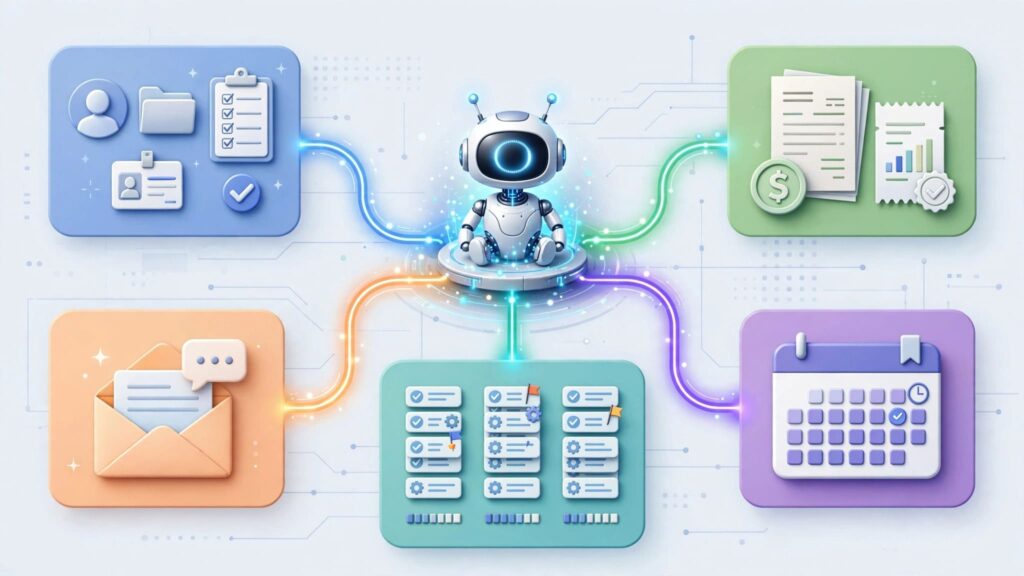
AI assistants will soon complete entire workflows instead of handling individual tasks.
Improved Collaboration
Future AI systems will integrate more deeply with project management platforms, communication tools, accounting software, and CRMs.
More Personalised Content
AI will better understand brand voice, customer behaviour, and audience preferences, making generated content even more relevant.
Higher Client Expectations
As AI becomes standard, clients will expect faster turnaround times, improved communication, and consistently high quality work.
Consequently, freelancers who embrace AI responsibly will enjoy a significant competitive advantage.
Conclusion
Finally, It concludes that the best AI tools for freelancers in 2026 are not designed to replace professional skills. Instead, they help you work more efficiently, improve consistency, and focus on delivering exceptional value to clients.
Throughout this best AI tools for freelancers in 2026 guide, we explored powerful solutions for writing, research, graphic design, project management, automation, video editing, and business organisation. While every tool offers unique advantages, the greatest results come from building an AI workflow that complements your expertise rather than replacing it.
If you are just getting started, begin with ChatGPT, Canva AI, Grammarly, and Perplexity AI. As your freelance business expands, gradually introduce advanced tools such as Notion AI, Descript, Zapier AI, and Midjourney to streamline more complex tasks.
Ultimately, freelancers who combine human creativity with AI powered productivity will be better positioned to attract clients, complete projects faster, and build a sustainable freelance business in 2026 and beyond.

Frequently Asked Questions (FAQ)
1. What is the best AI tool for Self-employed workers in 2026?
ChatGPT remains the most versatile AI tool because it supports writing, brainstorming, research, coding assistance, project planning, and client communication. However, combining specialised tools often delivers the best overall results.
2. Can AI replace freelancers?
Obviously No. AI automates repetitive tasks, but clients still rely on freelancers for creativity, strategic thinking, industry expertise, and relationship building.
3. Which AI tool is best for freelance writers?
ChatGPT, Grammarly, Claude, and Perplexity AI provide an excellent combination for researching, writing, editing, and improving content quality.
4. Are free AI tools enough for beginners?
Yes. Most beginners can successfully start with free versions of ChatGPT, Canva AI, Grammarly, and Perplexity AI before upgrading as their business grows.
5. How can AI help freelancers earn more money?
Absolutely, AI reduces the time required to complete projects. Consequently, freelancers can accept more clients, deliver faster, improve quality, and increase overall revenue.